Learning / BROWSER DEMO
MyCoachingBD
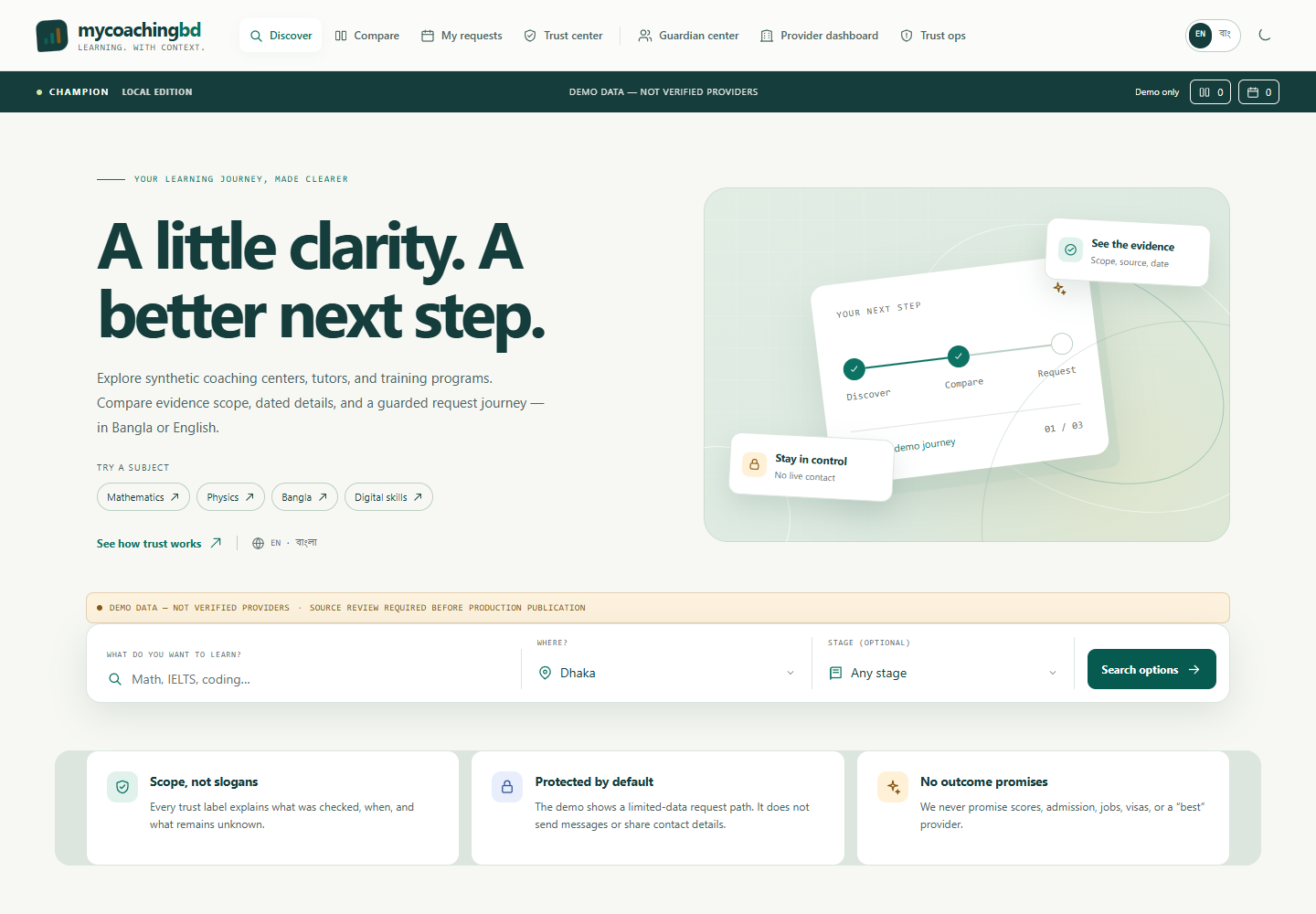
MyCoachingBD demonstrates coaching discovery and request workflows with synthetic provider profiles. Its local exercises show consent and review steps without arranging real lessons.
Free to explore · No sign-in · Demonstration data
EXPLORE
What you can try
- Browse example providers by subject, area, or education stage.
- Compare sample fees and schedules while reviewing missing information and verification limits.
- Try consent, guardian-review, provider-dashboard, and attendance exercises.
START HERE
Try it in three steps
- Choose a subject or education stage and open a fictional provider profile.
- Review the sample terms and create a demo request with the consent controls.
- Use the provider and guardian views to explore simulated review and attendance states.
CONTEXT & LIMITS
Know what the demo shows
- All provider profiles are synthetic and not verified tutors or coaching services.
- Requests, reviews, and dashboard actions last only in the open page; no message or booking is sent.
- Consent screens are workflow demonstrations, not server-side safeguarding controls.
Use fictional information when trying inputs. The browser edition has no live service, account, payment, dispatch, or external AI integration. Any local saves belong to this browser and device.
COMMON QUESTIONS
Before you explore
Will a tutor receive my request?
No. The request is a local exercise and is not sent to a provider.
Does the guardian flow verify a real provider?
No. It demonstrates interface rules only; it does not verify identity or provide real-world safeguarding.
Release information
Maintained by Mohammad Rezwan Khan. Browser release updated . This page describes the shipped browser demo; it is not a claim of professional or production validation.
Machine-readable app facts · Plain-text overview · Dependency & content notices
Source revision e28595a6315a · Runtime SHA-256 6282fb0f39664249
Governing Equations, Inputs, Outputs & Dimensional Conventions
MyCoachingBD executes deterministic client-side calculations in the browser. Every scenario is governed by explicit mathematical formulations and unit checks:
Declared Units & Arithmetic Conventions: Checklist weights in %; batch size in students/batch; fee transparency and safeguarding verification flags (Boolean).
Scope & Operational Boundary: Fictional coaching-provider discovery and guardian or attendance workflows. No verified providers, bookings, messages or safeguarding service.
Launch Interactive MyCoachingBD Runtime → · Read Full Methodology & Validation Notes →
Verified Case Study & Held-Out Reference Table
Worked Verification Case: Fictional Provider Evaluation Walkthrough: Comparing two fictional coaching profiles ('Sample Science Batch A' vs. 'Sample Math Mentorship B') using the 6-point Guardian & Student Evaluation Checklist highlights missing fee breakdowns, batch-size claims, and attendance communication rules without endorsing any real coaching centre or accepting bookings.
| Evaluation Dimension | Verification Question | Demo Data Status | Marketplace Status |
|---|---|---|---|
| Instructor & Batch Clarity | Are class size and instructor credentials documented? | 100% Fictional Profiles | No bookings or live listings |
| Fee & Refund Transparency | Are total fees, materials, and refund rules itemized? | 100% Fictional Profiles | No payment processing |
| Safeguarding & Attendance | How are guardian notices and attendance logs verified? | Workflow Simulation Only | No live messaging |
How to Use MyCoachingBD in 3 Reproducible Steps
- Select a Baseline Scenario or Practice Module: Open the interactive browser runtime and choose one of the shipped synthetic presets or diagnostic modules to load its verified input parameters and unit declarations.
- Inspect Intermediate Traces & Constraints: Review the computed ledger, error diagnostics (MAE/RMSE/margin/balance checks), or bilingual explanations alongside the governing equations documented on mktutor.co.education/methodology/.
- Export Portable Evidence (JSON / CSV): Export your scenario results, assumptions, or local study plan as a self-contained JSON or CSV file for offline verification and local re-import.
Methodological & Boundary FAQs
Will a tutor receive my request?
No. The request is a local exercise and is not sent to a provider.
Does the guardian flow verify a real provider?
No. It demonstrates interface rules only; it does not verify identity or provide real-world safeguarding.
What mathematical model and units does MyCoachingBD use?
MyCoachingBD applies Provider Comparison Score = Σ w_i × Criterion_i (evaluated strictly on user-entered checklist weights across fictional sample profiles). Units: Checklist weights in %; batch size in students/batch; fee transparency and safeguarding verification flags (Boolean).
What are the operational boundaries and limitations of MyCoachingBD?
Fictional coaching-provider discovery and guardian or attendance workflows. No verified providers, bookings, messages or safeguarding service. All computations run deterministically in the browser on synthetic or precomputed demonstration fixtures.
How can I reproduce the benchmark results in MyCoachingBD?
Open the interactive browser workspace at ./run/, select Case 1 to inspect the worked result (Fictional Provider Evaluation Walkthrough: Comparing two fictional coaching profiles ('Sample Science Batch A' vs. 'Sample Math Mentorship B') using the 6-point Guardian & Student Evaluation Checklist highlights missing fee breakdowns, batch-size claims, and attendance communication rules without endorsing any real coaching centre or accepting bookings.), and export the JSON or CSV evidence ledger.
Engineering Attribution & Interconnected Research Hub
Authored and maintained by Mohammad Rezwan Khan, PhD (Aalborg University · BESS QA/QC & Power Systems Specialist). Canonical URL: https://mktutor.co.education/ · Source revision: e28595a6315a · Runtime SHA-256 prefix: 6282fb0f39664249 · Repository provenance: https://github.com/mohammadrezwankhan/mycoachingbd-demo (private source engine; public deterministic browser projection).
Application Metadata (app.json) · AI / LLM Discovery Guide (llms.txt) · Full Technical Corpus (llms-full.txt) · Semantic Knowledge Graph (knowledge-graph.jsonld)
Explore the MKLab & ASTRA Research Ecosystem
- Mohammad Rezwan Khan, PhD — Core Authority & BESS QA/QC Hub
- Datacenter Twin Lab — 12-Lesson Power Systems & EMT Simulator
- HelioForge Energy Lab — Hybrid Solar-Wind-BESS Microgrid Dispatch
- ZephyrTrade — Wind-Market Quantitative Backtesting
- MKLab Directory — Complete 68-App Browser Engineering Suite
- MyHSCBD — Independent HSC Study Resources
- MyAdmissionBD — Admissions Eligibility Sandbox
- MyGREBD — Self-Paced Exam Practice